Clover hardware options for the way your team works
Choose a front desk setup that fits your counter, team, and service model.
Clover Flex +
BookedBy

Clover Flex can support a more mobile checkout experience for teams that need flexibility at the counter or around the business.
Clover Station Solo +
BookedBy

Clover Station Solo is a strong fit for businesses that want a clean payment and checkout station at the front desk.
Clover Station Duo +
BookedBy

Clover Station Duo supports a more customer-facing checkout experience, giving teams and clients a clear payment flow at the desk.
The right hardware setup depends on how your business handles check-in, checkout, payments, tips, retail, and client communication. BookedBy can help you understand which front desk setup makes sense for your workflow.
Built for businesses that manage appointments, walk-ins, and repeat clients
BookedBy on Clover is a good fit for service businesses where client visits involve multiple moving parts. The platform can support booking, arrival, wait-time visibility, checkout, follow-up, and reporting, providing teams with a stronger operational foundation than a simple appointment calendar.
.svg)
Manage appointments, preferred providers, self-check-in, wait times, checkout, promotions, and client retention tools in a connected workflow.

Support scheduled cuts, walk-ins, first available booking, wait time updates, client reminders, and rebooking prompts.

Keep chairs, providers, services, and appointment timing organized while giving clients a smoother booking and checkout experience.

Support consultation bookings, provider schedules, client notes, appointment reminders, promotions, and reporting.

Make it easier to manage appointment duration, provider availability, online booking, reminders, and repeat visits.

Support consultation scheduling, artist availability, client communication, and checkout workflows in one system.
What BookedBy brings to the Clover experience
BookedBy is designed to help service businesses set up, operate, and grow. When paired with Clover hardware, the software gives the front desk and management team tools that support the full client journey.
Online Booking
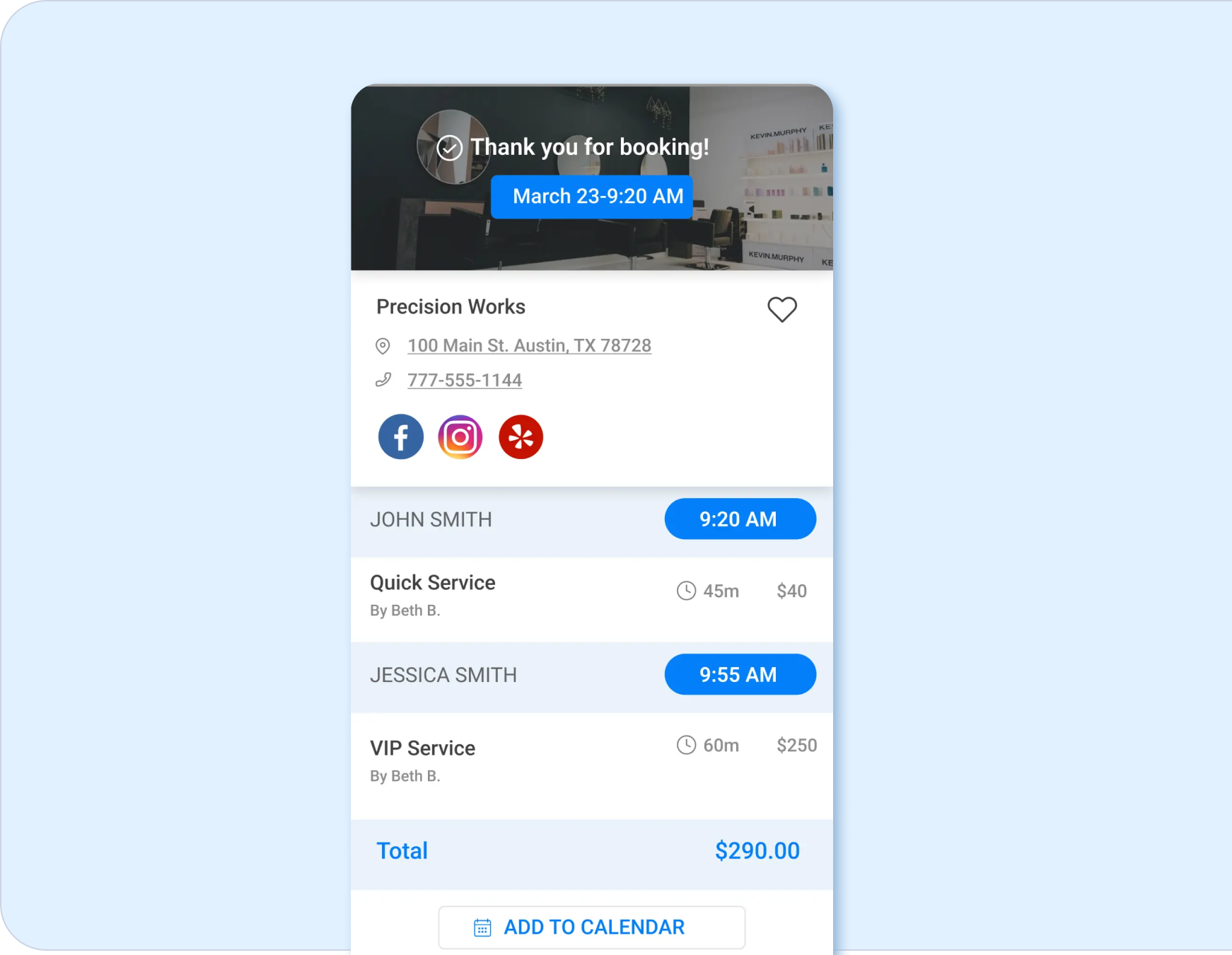
Create a branded online booking experience so clients can schedule from their own device, at a time that works for them. Online booking helps reduce phone volume and gives the business a cleaner way to capture appointment demand.
Appointments
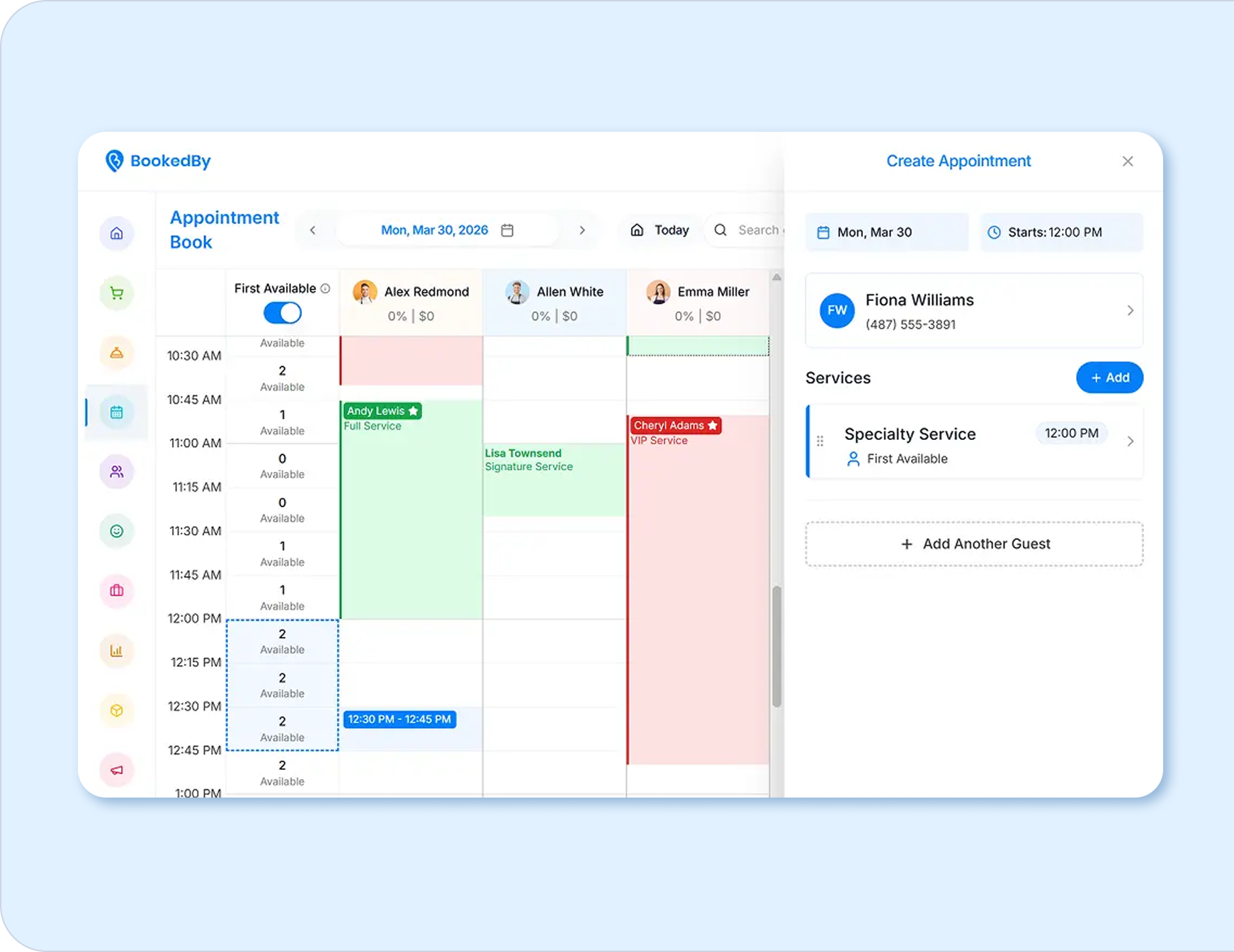
View and manage appointments with tools that help staff understand provider schedules, service details, client information, and daily demand.
Notifications
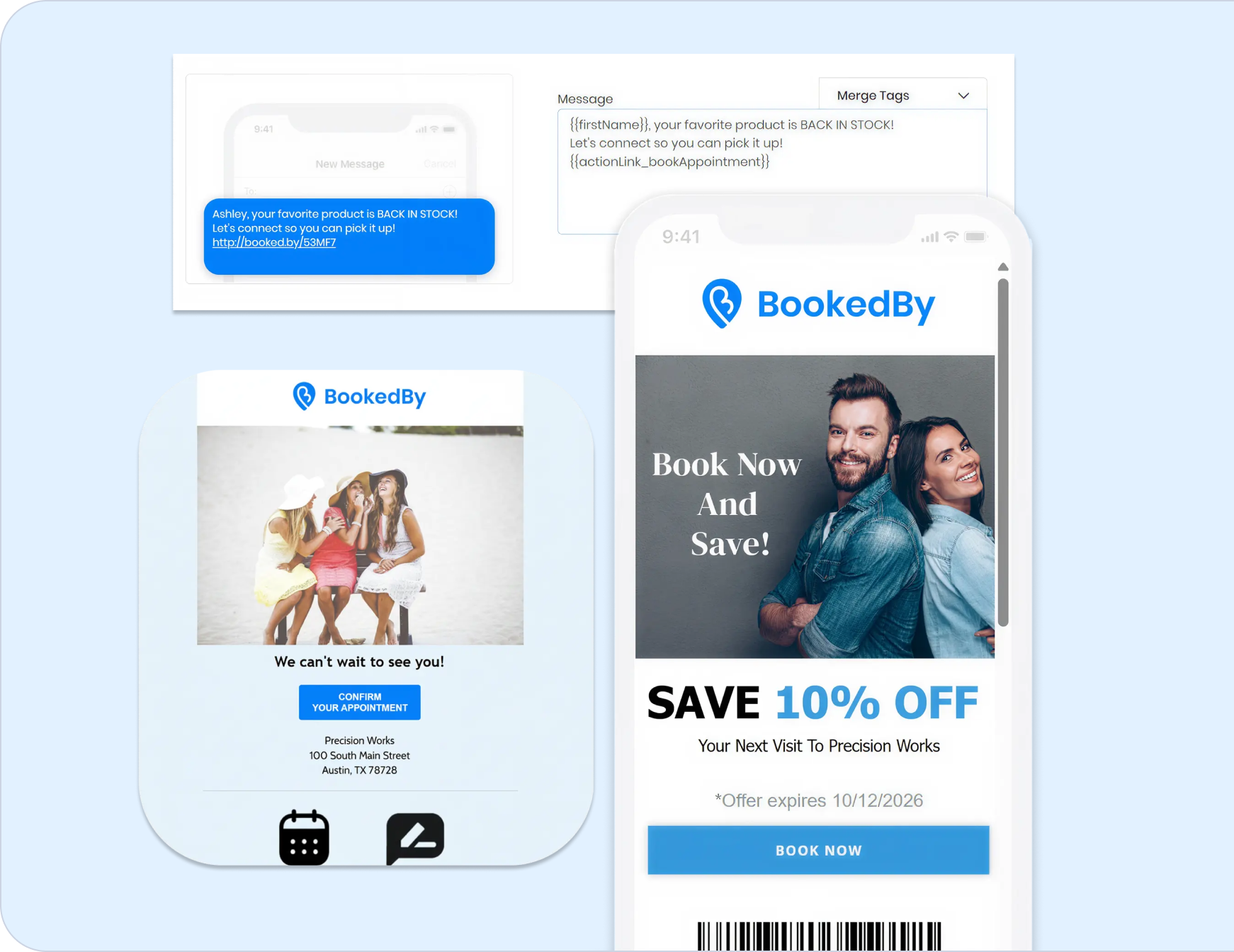
Send automated appointment confirmations, reminders, wait-time updates, and follow-up messages via email or SMS to keep clients and staff informed.
Self Check-In
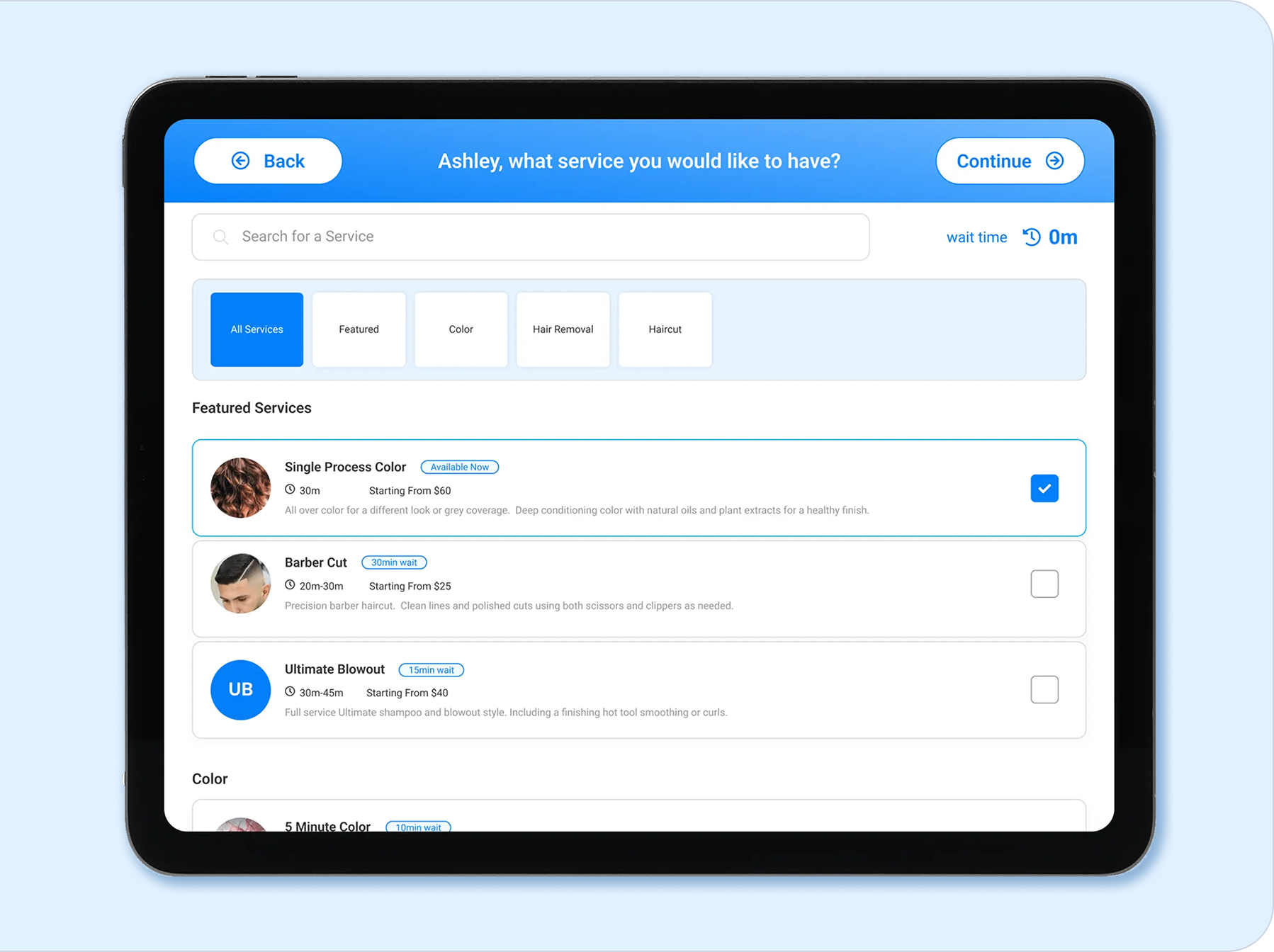
Let clients check themselves in and reduce congestion at the desk, especially during busy arrival periods.
Guided and Self Checkout
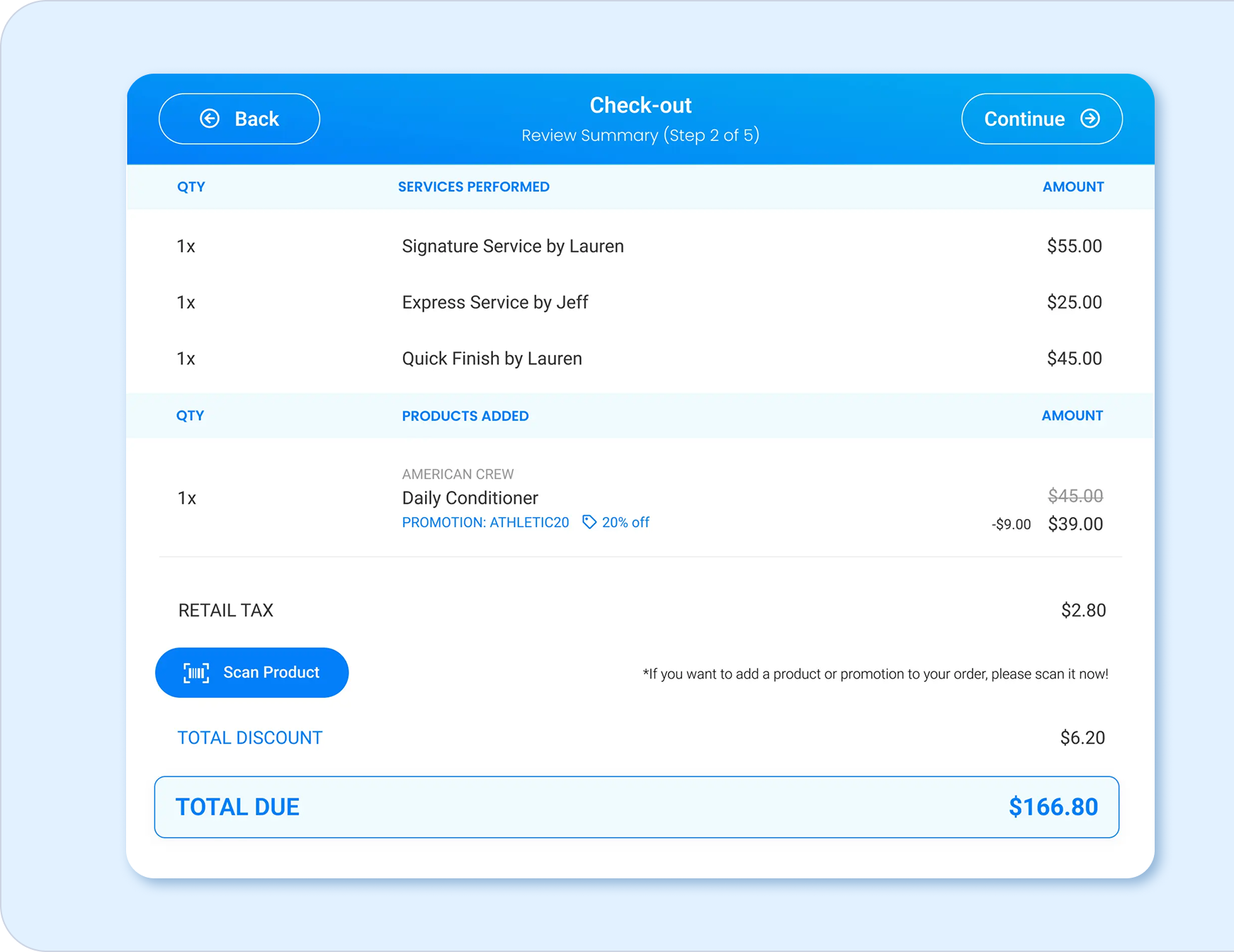
Create a cleaner checkout process that can support payments, tips, retail, rebooking, and service completion.
Employee Scheduling
Give managers and staff clearer access to schedules, availability, and provider coverage.
Wait Times
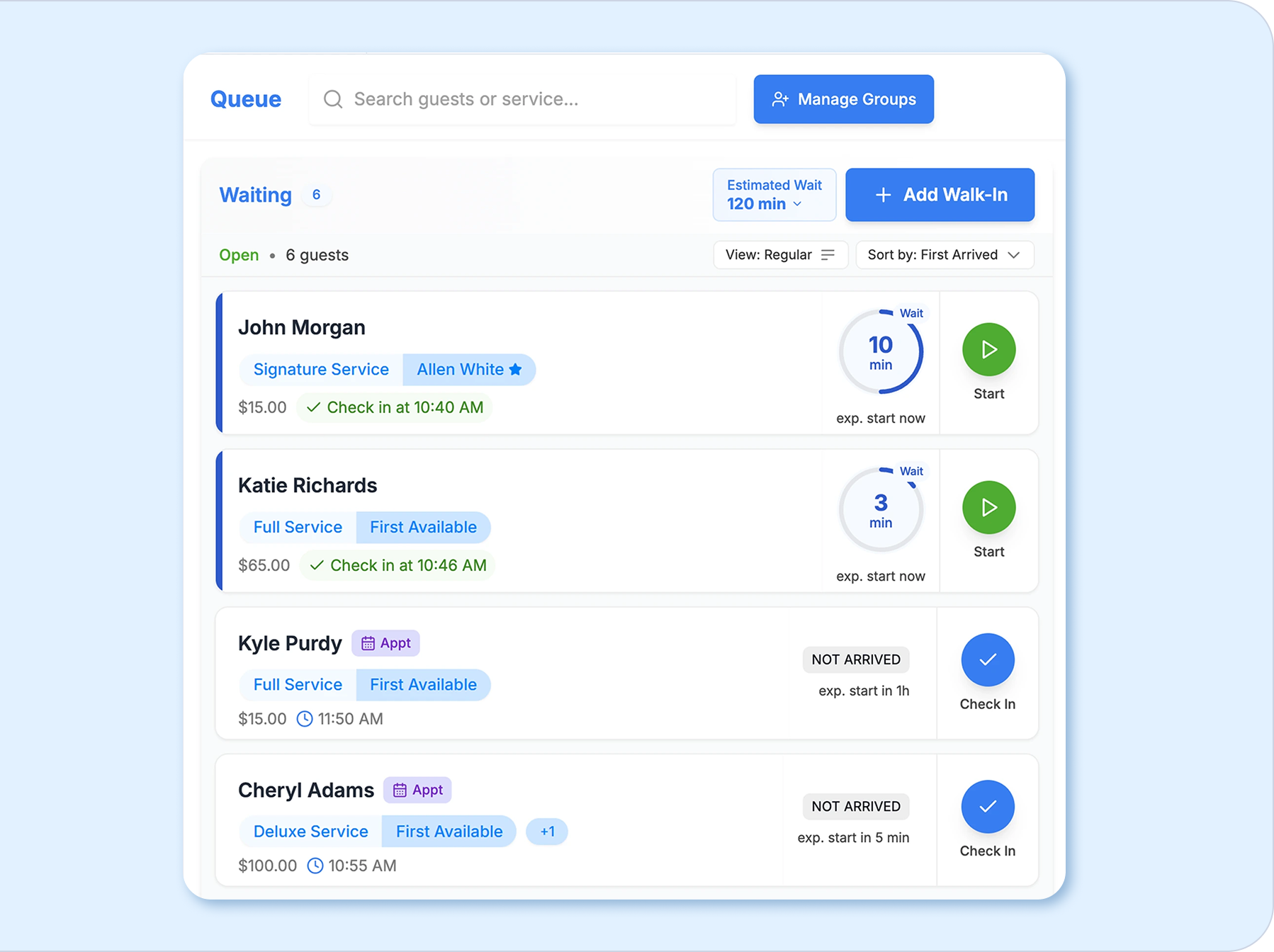
Help the team display and manage live wait times for walk-ins and same-day demand so clients know when they can expect to be served.
Email and SMS Marketing
Build campaigns that bring clients back with reminders, promotions, win-back messages, and targeted follow-up.
Promotions
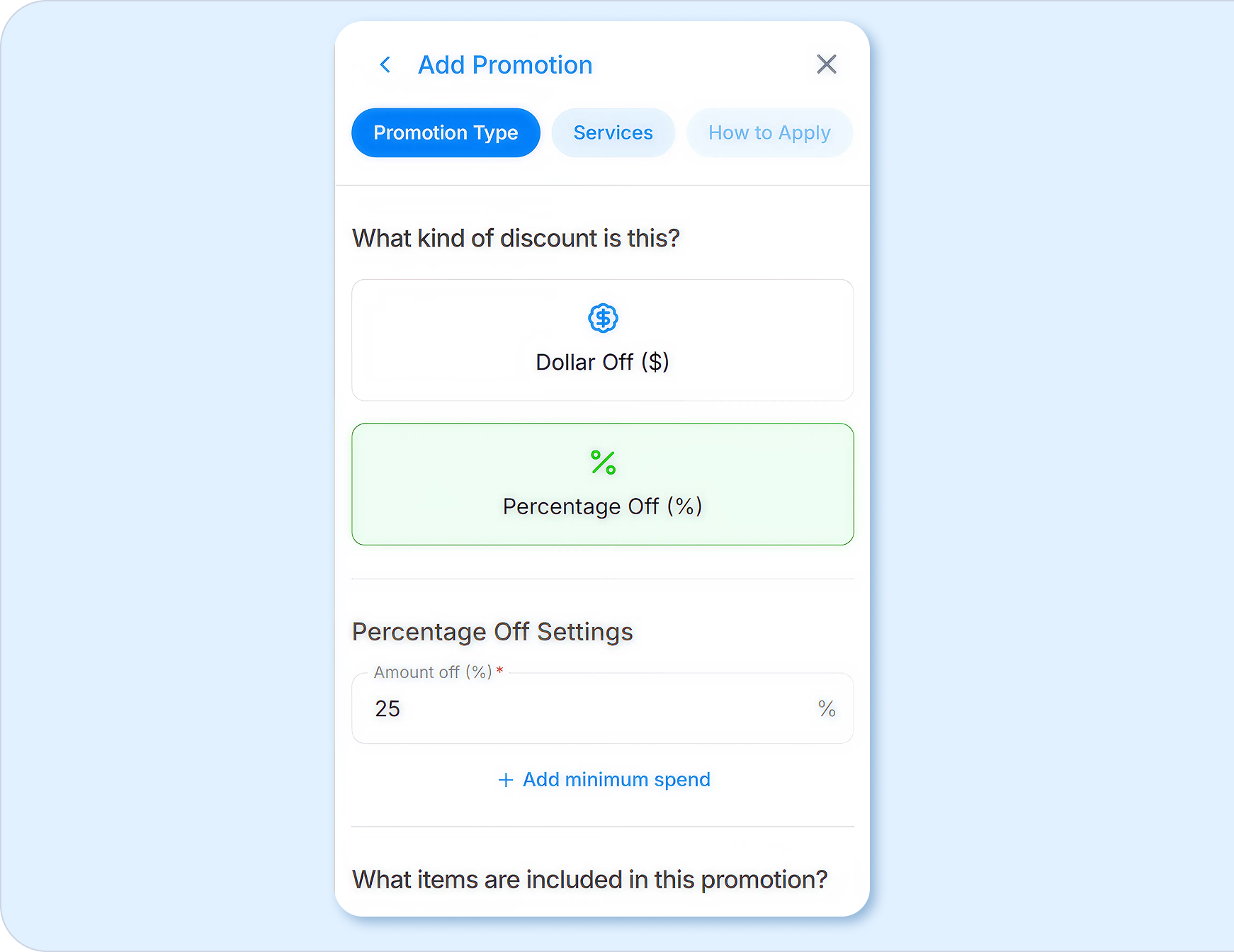
Create offers and loyalty programs that encourage repeat visits without relying on blanket discounts.
Reports
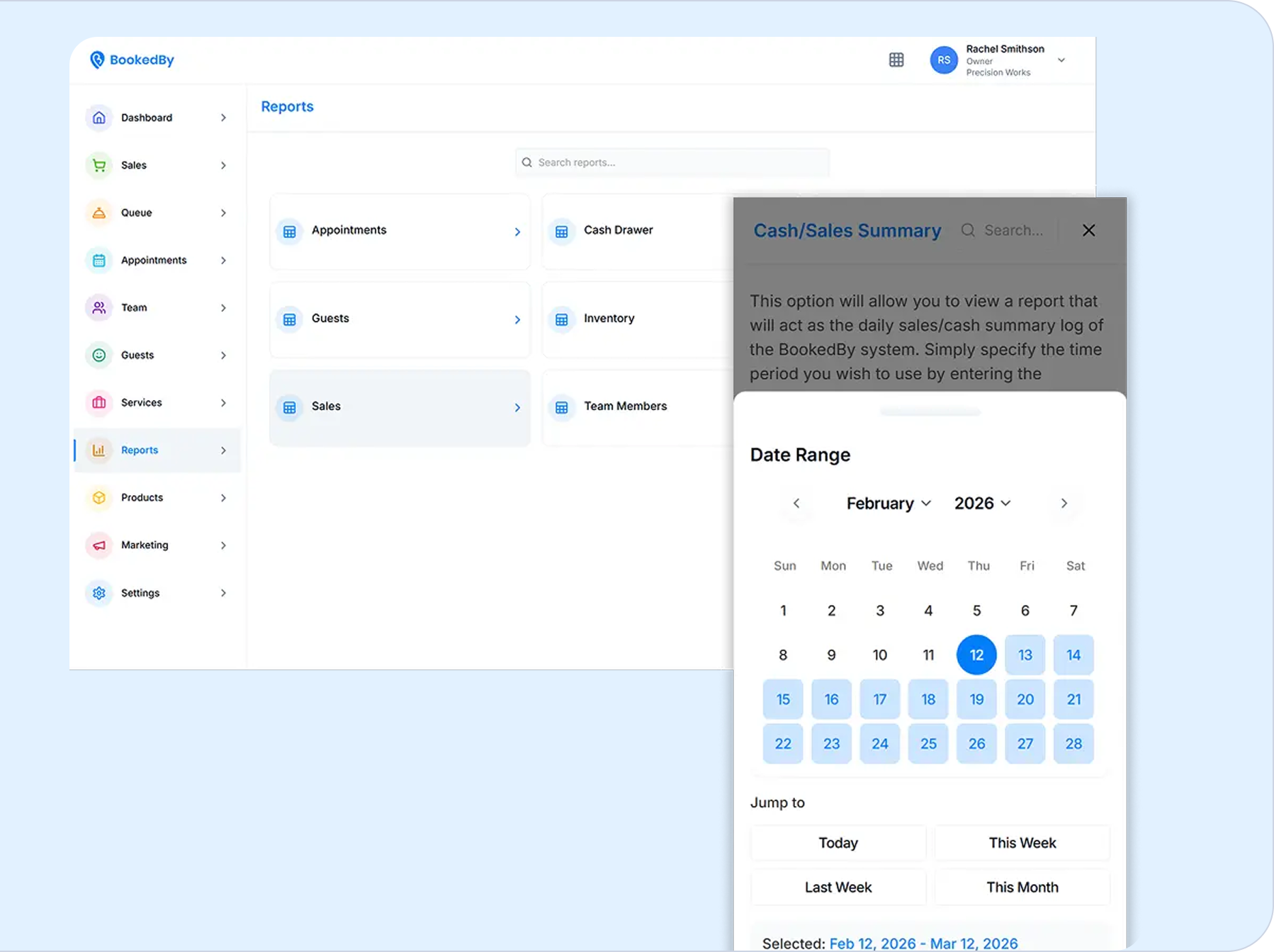
Use reporting to understand bookings, revenue, staff performance, client retention, service trends, and location performance.
A better workflow from booking to checkout
The value of BookedBy on Clover is not only the list of features. It is how the workflow comes together.
A client books online or checks in at the business. Staff see the appointment, provider, service, and client details. The front desk can manage wait times, walk-ins, and schedule changes. The client receives reminders and updates. After the service, checkout can connect the visit to payments, tips, rebooking, promotions, and reporting.
That connected flow helps the business avoid the common problems that happen when the calendar, front desk, payment device, marketing tools, and reports all live separately.
Why businesses switch to BookedBy on Clover
Businesses often look for a new system when their current setup starts slowing them down. The calendar may be too basic, reminders may be too manual, walk-ins may be hard to manage, or reporting may not give owners enough visibility.
BookedBy on Clover is built for operators who need stronger front desk tools and a clearer view of the client journey.
It helps support easier online booking, check-in, wait time visibility, reporting, behavior-based marketing, connected checkout, and growth beyond one provider or one location.
Designed for client experience and operational control
A good front desk setup should make the business feel more organized to clients and easier for staff to manage.
For clients, that means easier booking, clear reminders, accurate wait expectations, a smooth arrival experience, and a professional checkout. For staff, that means fewer manual steps, fewer status questions, more visibility, and better access to the information they need. For owners, that means stronger reporting and more confidence in how the business is performing.
BookedBy on Clover helps connect those needs in a practical way.
See BookedBy on Clover in action
Choosing a software and hardware setup is easier when you can see how it works in a real business scenario. The BookedBy team can walk through your current workflow, your number of providers, your appointment model, your front desk needs, and your growth plans.
Whether you are replacing a simple scheduler, adding stronger front desk tools, or preparing for more locations, BookedBy can help you assess the right setup.
Build a better front desk with BookedBy on Clover
Bring scheduling, check-in, checkout, payments, client communication, and reporting into a more connected workflow.
Request a Demo
Frequently Asked Questions About BookedBy on Clover
BookedBy on Clover combines BookedBy’s service business management software with Clover hardware options, giving businesses a connected setup for scheduling, check-in, checkout, payments, client communication, and reporting.
BookedBy can work with Clover Flex, Clover Station Solo, and Clover Station Duo. The right setup depends on how your team handles checkout, front desk traffic, and client flow.
BookedBy on Clover can support appointment-based and service-based businesses such as salons, spas, barbershops, med spas, nail salons, tattoo studios, massage businesses, and other appointment-based service businesses.
Yes. BookedBy supports branded online booking so clients can schedule from their own device and reduce the need for manual appointment calls.
Yes. BookedBy includes wait time and queue visibility tools that help teams manage walk-ins, check-ins, and real-time client flow.
Yes. BookedBy includes email and SMS marketing, promotions, memberships, win-back campaigns, and client engagement tools that can help bring clients back.
The best way to evaluate fit is to walk through your current booking, check-in, checkout, payment, and reporting process with the BookedBy team during a demo.




.png)
.png)
