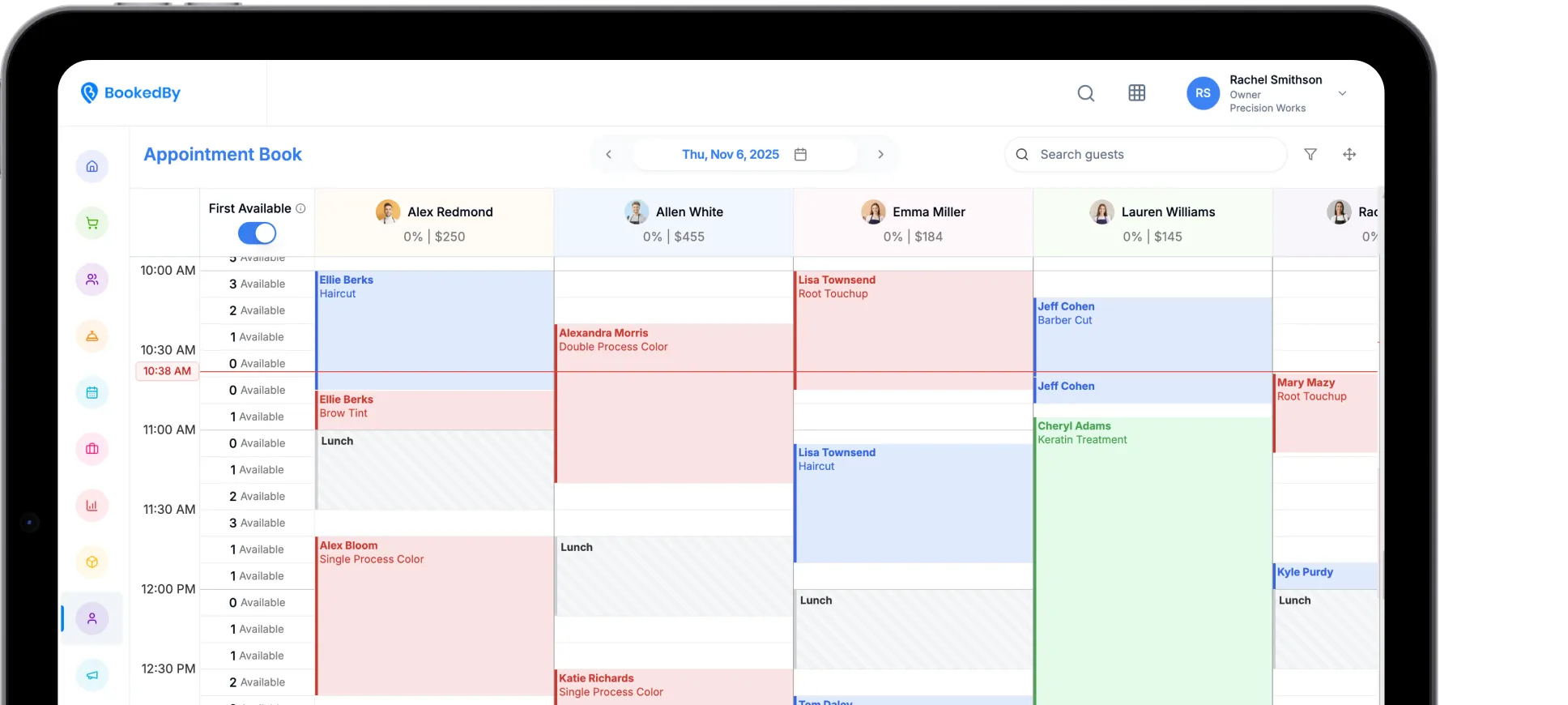
All-in-One Scheduling Software for Small Service Businesses
Running a small service business gets complicated when bookings, staff schedules, client details, and payments live in separate places. BookedBy brings the work together so your team can stay organized, serve clients smoothly, and build processes that support continued growth.

What Is Small Business Scheduling Software?
Small business scheduling software helps appointment-based teams manage client bookings, employee availability, service details, client records, and daily operations in one system.
BookedBy combines scheduling with tools for walk-ins, communication, checkout, payments, reporting, and business growth.
Move Beyond Basic Scheduling Tools
Paper calendars, spreadsheets, and standalone apps can work when scheduling is simple. Extra services, employees, booking rules, walk-ins, and client requests make manual coordination harder.
Connected scheduling software for small business operations gives the team one reliable place to see the day and manage changes.
Paper calendar - limited access and manual updates. Connected software gives you a shared, real-time schedule instead.
Spreadsheet - no client self-booking. Connected software enables online appointment management.
Digital calendar - limited service workflows. Connected software adds booking rules and full team visibility.
Separate apps - repeated entry and scattered data. Connected software keeps everything in connected operational records.
.png)
Make Booking Easier for Your Clients
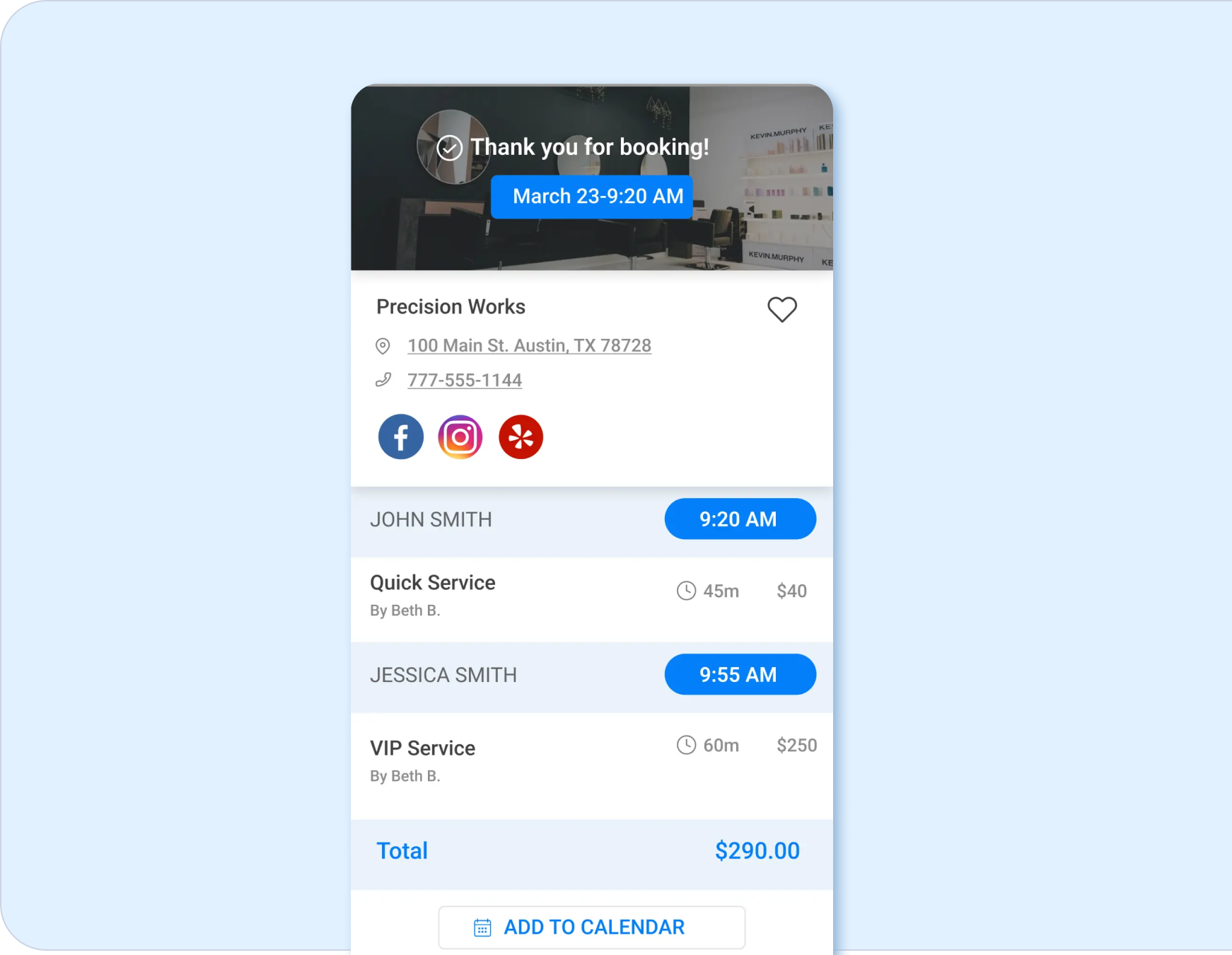
Clients should be able to find your available services easily and without assistance. BookedBy provides an online booking system for small business needs, including real-time availability, provider or first-available selection, booking rules, confirmations, and reminders.
Clients can:
- Review available services and times.
- Choose a provider or first available.
- Book appointments online.
- Receive confirmations and updates.
- Reschedule based on your policies.
Manage Appointments, Walk-Ins, and Waitlists
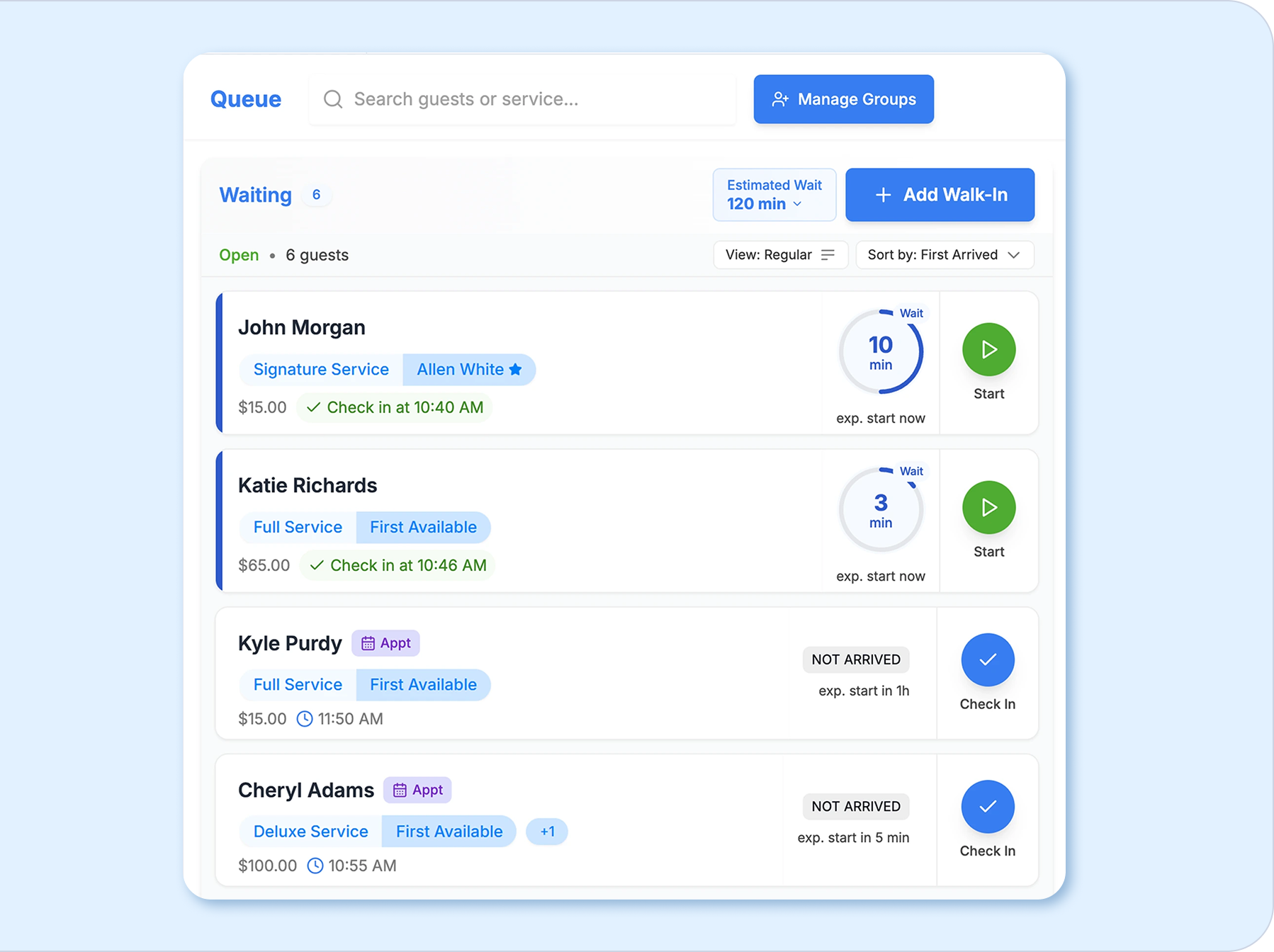
BookedBy keeps scheduled appointments, walk-ins, live wait times, and employee availability visible within the same system. Front-desk teams can respond to current demand, place walk-ins, and fill open time without maintaining a separate list or losing sight of scheduled clients.

Keep Staff Schedules Organized
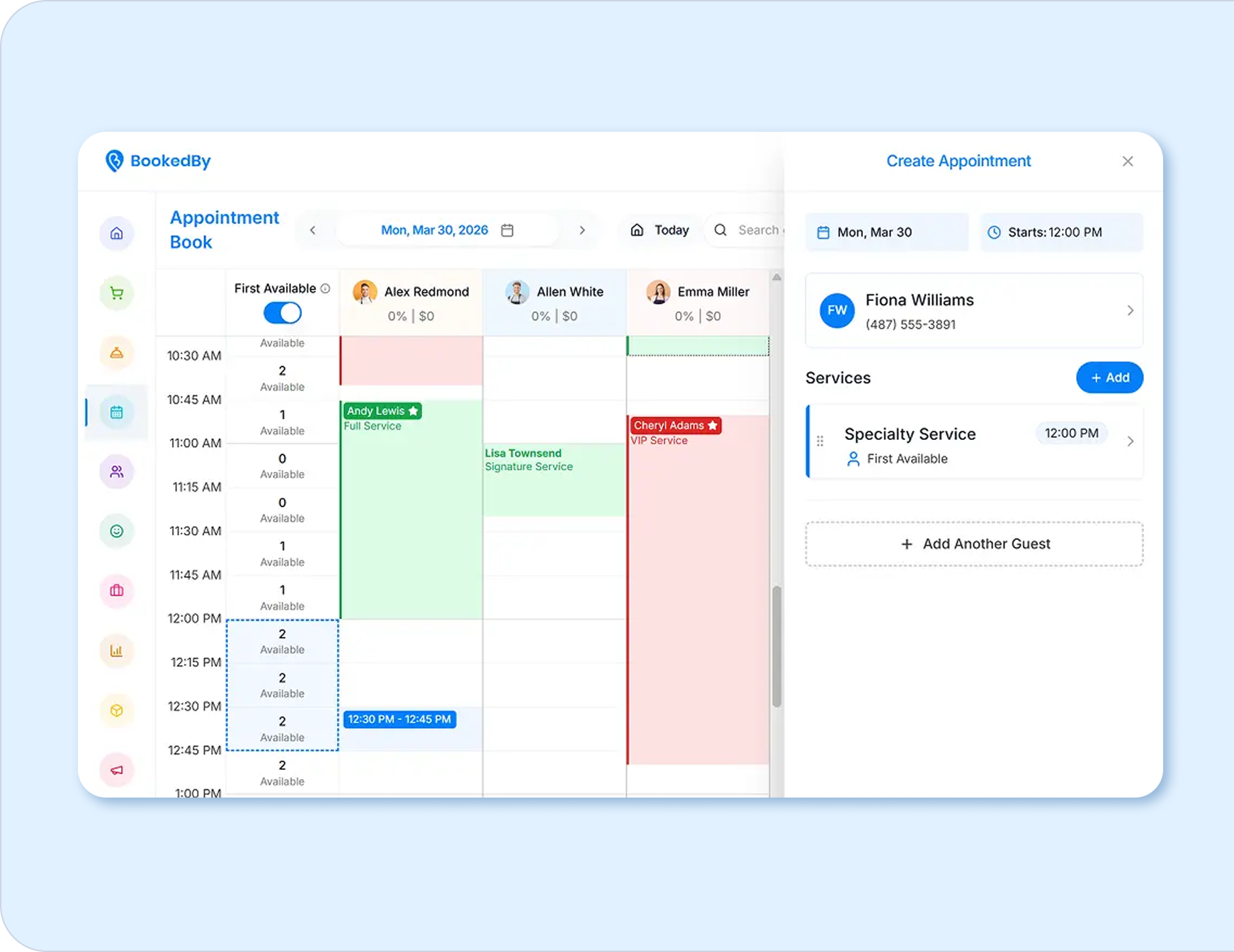
Centralized employee scheduling helps everyone work with the same information. Set availability, work schedules, service assignments, and permissions based on each employee’s responsibilities. Front-desk teams can see who is working and which services each provider can perform, reducing avoidable confusion during a busy day.
- Front desk sees appointments, walk-ins, changes, and availability.
- Providers see their personal schedules and relevant client details.
- Managers see team coverage, permissions, and daily activity.
- Owners see demand, productivity, and operational trends.
Manage Client Information in One Place
Centralized profiles help employees understand each client without searching across notebooks, messages, and separate apps. Keep contact details, appointment history, preferences, notes, and relevant visit information connected to the client record.
Use those records to support:
- Faster access to client details.
- More consistent service across visits.
- Timely confirmations and reminders.
- Rebooking and retention efforts.
- Clearer communication across the team.

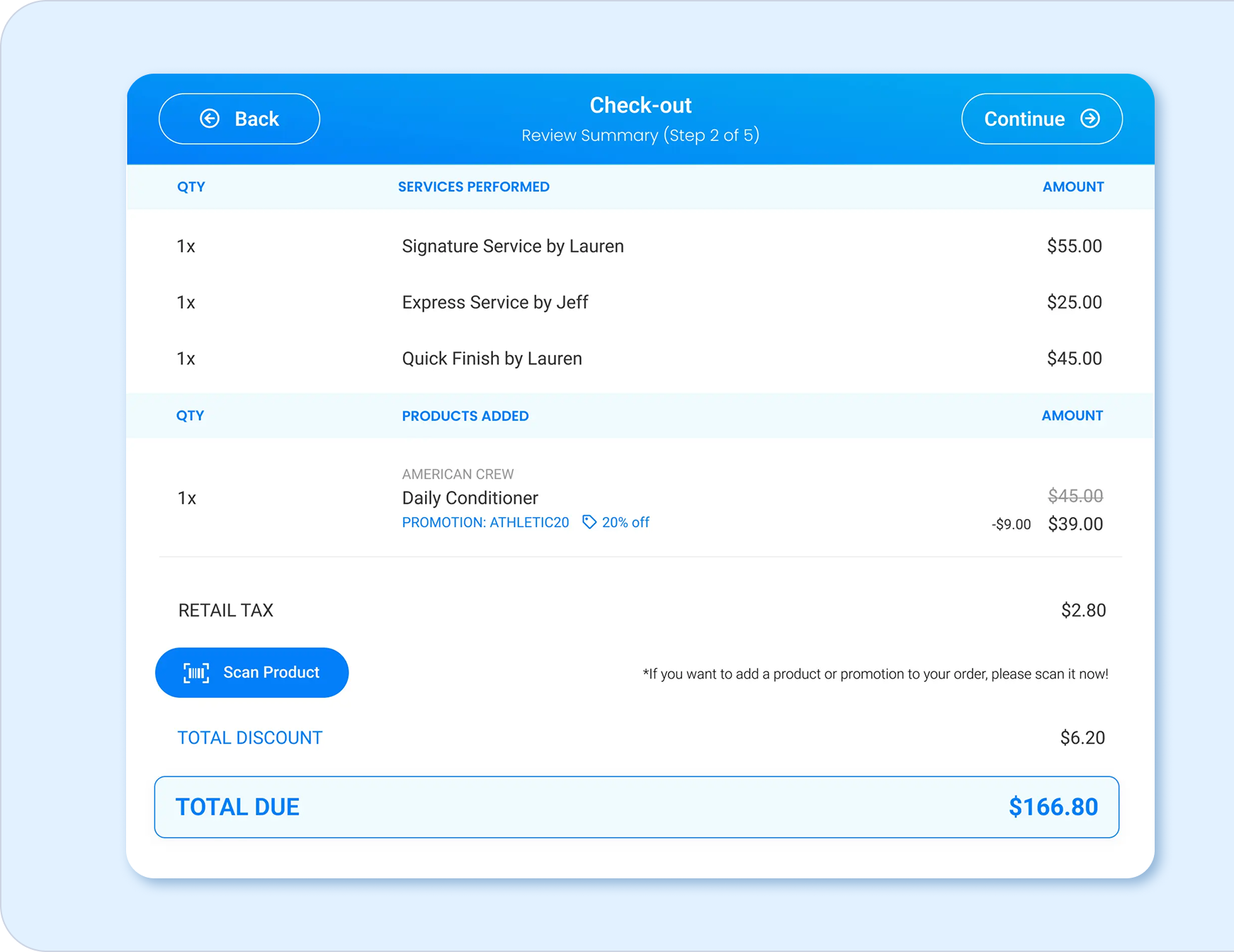
Connect Scheduling With Payments and Operations
BookedBy connects appointment scheduling with check-in, checkout, client management, and payment workflows. Shared information reduces repetitive handoffs and gives the front desk a clearer view of each visit. The result is a more organized service day with fewer details spread across unrelated systems.
Book - capture the service, time, provider, and client.
Arrive - check in the client and manage current wait times.
Serve - keep appointment and client details available.
Check out - review services, products, tips, and payment.
Follow up - send relevant messages and encourage rebooking.
Explore BookedBy features for scheduling, client engagement, payments, and daily operations.
Understand How Your Business Is Performing
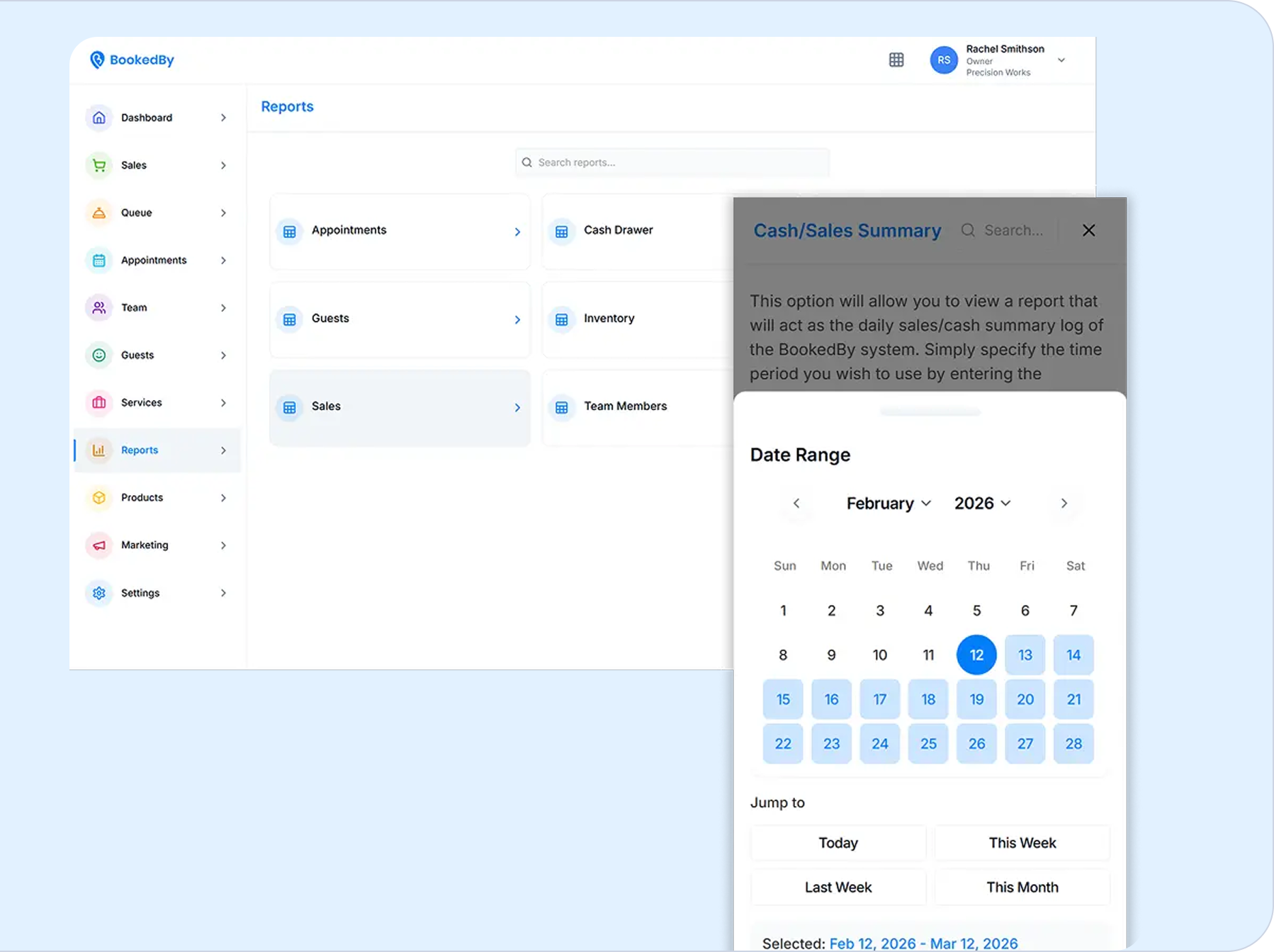
Clear reporting helps owners make decisions with current business information. BookedBy provides visibility into appointments, revenue, provider productivity, client retention, service performance, and campaign results. Scheduled reports can also reduce the time spent gathering updates manually.
When are we busiest? - appointment and demand trends.
Which services perform well? - service activity and revenue.
How is the team doing? - provider productivity and sales.
Are clients returning? - retention and visit patterns.
Which outreach works? - campaign activity and results.
.png)
Choose Software That Can Grow With You
Small businesses rarely stay operationally simple. New employees, services, booking rules, and client expectations add moving parts. BookedBy can support a small team today and provide additional provider capacity, communication tools, reporting, permissions, and location visibility as the business develops.
Small team - needs shared schedules and consistent booking rules.
Expanded services - needs added durations, prices, and provider assignments.
Busier operation - needs walk-ins, communication, retention, and reporting handled.
Additional locations - needs centralized access and location-level visibility.
Compare BookedBy plans and pricing based on your team size and operational needs.
Ready to Simplify Your Small Business?
See how BookedBy can support your current scheduling needs and give your business room to grow. A personalized demo can help you evaluate booking, staffing, client management, payments, reporting, and the plan that best fits your operation.
.png)
Small Business Scheduling Software FAQ
When Is a Basic Calendar No Longer Enough?

A basic calendar may become difficult to manage when a business adds employees, service-specific availability, walk-ins, booking policies, payments, or detailed client records. Scheduling software can keep those requirements connected and visible to the people responsible for the day.
How Is Online Booking Different From Scheduling Software?
Online booking is the client-facing process used to select and reserve an appointment. Appointment scheduling software for small business teams also helps employees manage availability, schedules, booking rules, client records, reminders, changes, and other operational details.
Can Clients Book Appointments Without Calling?
Yes. BookedBy lets clients review real-time availability and book online based on the services, providers, and rules your business configures. Automated confirmations and reminders can keep clients informed after the appointment is scheduled.
Can One System Manage Appointments and Walk-Ins?
Yes. BookedBy manages scheduled appointments and walk-ins together. Real-time wait information, digital waitlists, employee availability, and first-available booking help the front desk handle current demand while maintaining visibility into the existing schedule.
How Does Scheduling Software Organize Staff Calendars?
Scheduling software can connect employee availability, work hours, assigned services, appointments, and permissions. Managers and front-desk employees receive the visibility appropriate to their roles, while providers can access the schedules and client details needed for their work.
Can Scheduling Software Connect Booking and Checkout?
Yes. Small business management software can link the scheduled service and client record with check-in, checkout, tips, memberships, gift cards, and payment information. BookedBy supports guided and self-checkout and integrates with approved payment processors and hardware.
What Should a Small Business Look for in Software?
Compare online booking, walk-in support, staff scheduling, client records, communication, payments, reporting, usability, support, plan limits, and total cost. The best booking software for small business operations should fit current workflows and provide room for added complexity.
Is BookedBy Suitable for a Small Team?
Yes. BookedBy’s Emerging Brand plan supports up to three service providers and includes team scheduling, first-available or optimized booking, and check-in and checkout kiosks. Personal onboarding is included to help the business configure the platform around its services and team.
Can BookedBy Support Business Growth?
Yes. BookedBy offers plans for small teams, established businesses, and multi-location operations. Businesses can access unlimited provider options, team mobile apps, advanced communication, consolidated location visibility, and additional training as their operational needs develop.
How Much Does BookedBy Cost for a Small Business?
BookedBy’s Emerging Brand plan starts at $69 per month and supports up to three service providers. Higher-tier plans support unlimited providers and more advanced operational needs. Review current pricing, included features, add-ons, and usage charges before selecting a plan.
Dive deeper into BookedBy